
GRID™ Autosport
Feral InteractiveRacing
4.61.83K Reviews
- Version
- 1.10.6RC3
- Installs
- 500.00K
- Age Rating
- Everyone
Screenshots
Our Review of GRID™ Autosport
 Analysis by Appyee
Racing fans, buckle up because GRID™ Autosport is here to satisfy your need for speed. If you're a fan of realistic racing games, this one might just be your new favorite. I’ve spent some serious time with this game, and I’m excited to break down the experience for you.
Who will get the most from this racer?
I’d recommend this racing game most to people who enjoy learning a track rather than simply holding the accelerator and steering through a sequence of flashy turns. Its appeal is in the feeling that a race asks you to pay attention: brake before a corner, choose a line, and avoid turning every overtake into a collision. If you like the small improvement of getting through one difficult section more cleanly than last time, there is plenty here to appreciate.
It is also a better fit for someone who wants a substantial driving game on a phone than for someone looking for a quick, low-commitment distraction. A short session can still be satisfying, but the more rewarding approach is to give a race your attention and treat it as practice. If you usually prefer arcade racers that forgive late braking and reward spectacular drifts, this may feel demanding rather than immediately relaxing.
How it fits into a mobile racing routine
A realistic everyday use case is playing a race or two during a quiet break, then returning later when you have time to concentrate on a tougher event. I would avoid starting a demanding race when I only have a moment before a meeting or need to stop at any second; the appeal depends on staying focused through the event. When I do have a clear stretch of time, the cockpit perspective and careful cornering make a phone session feel more deliberate than a typical pick-up-and-play racer.
Compared with common free-to-play mobile racers, this is a more direct purchase: the price is $8.99, rather than a game built around free entry and ongoing optional spending. That makes the decision simpler, but it also means you should be sure you want a paid racing game before buying. Compared with a dedicated console racer, the phone is more convenient, while a larger screen and physical controller can make precise steering easier. I would choose the mobile version for portability, not because touch controls can replace every advantage of a full racing setup.
First Impressions and Gameplay
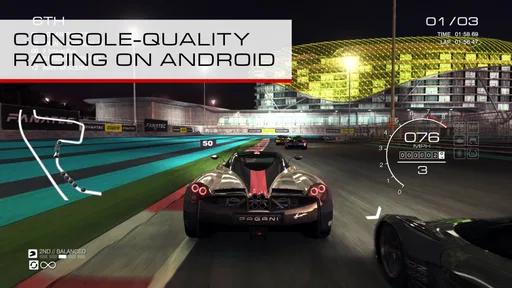
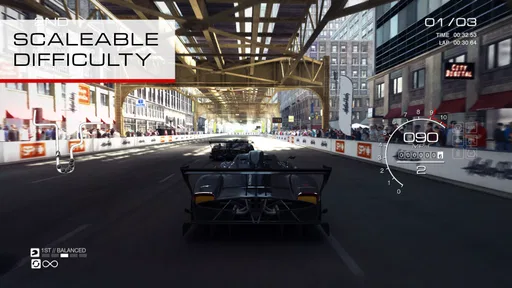
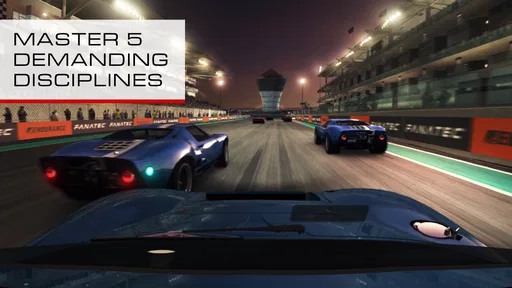
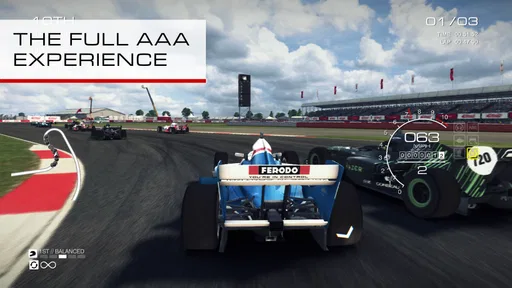
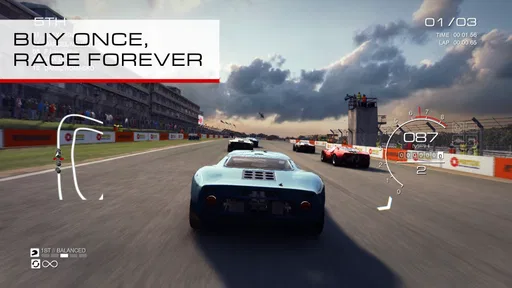
From the moment you fire up GRID™ Autosport, you can tell this isn't your average mobile racing game. The graphics are absolutely stunning for a mobile platform, with detailed cars and tracks that make you feel like you’re right there in the driver’s seat. It’s clear that the developers put a lot of love into bringing console-level visuals to our fingertips.
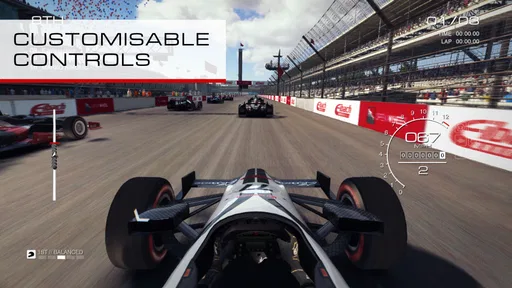
The gameplay itself is incredibly smooth. Whether you're drifting around tight corners or gunning it down a straightaway, the controls are responsive and intuitive. You’ve got multiple control options, from tilt to touch, so you can choose what feels best for you. I personally loved the tilt controls, which made me feel like I was handling a real steering wheel.
Finding a comfortable control setup
One useful approach is to treat the control choice as something to tune gradually, not a decision you need to get right on the first launch. I’d begin with the option that feels most natural, then pay attention to what goes wrong: if I keep missing the apex, I’d try a different steering method before blaming the car or the track. Tilt feels engaging when I can hold the phone steadily, but it is less practical on a crowded commute or anywhere I cannot move my hands freely. Touch steering is a sensible alternative when posture or surroundings make tilting awkward.
For cleaner results, I find it helpful to change one habit at a time. If I am braking too late, I focus on braking earlier for several corners rather than changing steering and throttle at once. That makes it easier to tell whether the adjustment helped. This kind of self-coaching suits the game’s more serious racing feel and makes practice less frustrating, especially for players arriving from arcade games with looser handling.
Game Modes and Features
Variety is the spice of life, and GRID™ Autosport delivers with a range of game modes to keep things fresh. There's something for everyone, whether you prefer solo racing or want to challenge your friends in multiplayer mode. The career mode is particularly engaging, with a satisfying progression system that keeps you motivated to climb the ranks.
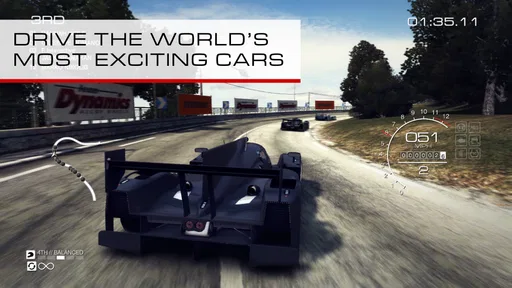
Speaking of progression, the game offers a vast array of cars to unlock, each with its own unique feel and performance. You can tweak and tune your rides to perfection, which adds a deeper layer of strategy to the races. It’s not just about speed; it’s about precision and planning.
Making progress without wasting a session
Career progression works best when I treat an event as a chance to learn, not only as a pass-or-fail test. A useful routine is to pick one car and spend a few races understanding how it responds before switching to another. When I change vehicles after every event, differences in handling can make it harder to judge whether my lines are improving. Once a car feels familiar, tuning becomes more meaningful because I can connect a change to what I feel on track rather than guessing.
This also gives the collection a practical purpose. Unlocking another car is exciting, but having a larger garage does not automatically make every event easier. I would keep a dependable choice for events where consistency matters, and experiment with other cars when I have room to adapt. If you enjoy collecting vehicles but do not want to learn how each one behaves, the garage may feel more like a checklist than a reward.
Immersive Experience
The sound design in GRID™ Autosport deserves a special mention. The roar of the engines, the screech of the tires, and the ambient noises of the crowd all add to the immersive experience. If you have a good pair of headphones, do yourself a favor and use them. It makes a world of difference.
Another cool feature is the cockpit view. If you’re like me and love feeling like you’re actually inside the car, this view is a game-changer. It adds an extra layer of realism that I didn’t expect to find in a mobile game.
Choosing a view for control, not just atmosphere
The cockpit view is the one I reach for when I want the strongest sense of being in the race, but it is not automatically the easiest camera for every situation. If I am learning a circuit or trying to place the car accurately, I may prefer a view that gives me a clearer sense of the space around it. Once the route feels familiar, switching back to the cockpit can make the same corners feel more involving. I see camera choice as a practical aid as well as a matter of taste.
Audio is similarly useful beyond immersion. Engine and tire sounds can help me stay aware of what the car is doing when my eyes are busy tracking a corner. Headphones make those cues easier to notice, though they are not essential to enjoy the game. In a shared room or during a commute, playing quietly is more considerate; the visual feedback still carries the race, but the sound adds character and can make the experience feel more immediate.
Challenges and Replayability
No game is complete without its challenges, and GRID™ Autosport doesn’t shy away from testing your skills. The AI is quite competent, so don’t expect to breeze through the races without some serious effort. But that’s part of what makes it so rewarding. Each victory feels earned, and the sense of accomplishment is real.
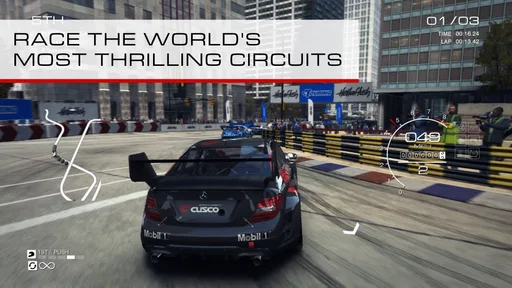
As for replayability, the game has it in spades. With over 100 cars and tracks, plus the dynamic changes in weather and time of day, each race feels unique. There’s always something new to master, whether it’s perfecting your lap times or experimenting with different car setups.
Reading a difficult race and deciding when to retry
When a race goes badly, I would first look for a repeatable cause rather than assume the event is simply too hard. Did I lose time by braking late at the same corner, or did I get caught in traffic after a poor opening? That distinction matters: a driving mistake can be practiced, while a crowded start may call for more patience and a cleaner line. Focusing on one problem makes a retry feel purposeful instead of like repeating the same frustration.
The changing conditions also make it worth resisting the urge to drive every lap in exactly the same way. A line that feels comfortable in one situation may need more care when visibility or grip feels different. I would use the first part of a race to settle into the conditions, then push once I have a better sense of how the car is responding. That cautious start may not suit players who want instant, constant action, but it fits the game’s emphasis on controlled racing.
The Final Lap
To sum it up, GRID™ Autosport is a must-have for racing enthusiasts. It successfully brings the thrill of console racing games to your mobile device without compromising on quality. The combination of stunning graphics, realistic gameplay, and diverse modes makes it a standout in the genre.
So, if you're ready to experience the ultimate racing simulation on your phone, give GRID™ Autosport a spin. I promise you won't be disappointed. And hey, don’t forget to practice those drift turns. See you on the track!
Where the game stands now
Feral Interactive is the developer behind this paid racing game, which arrived on Android on November 26, 2019. Its current version is 1.10.6RC3, and the game is intended for devices running Android 9 or later. It has an average rating of 4.5 from around 42,000 ratings, with about 1,800 written reviews and over 500,000 installs. Those figures suggest a sizeable audience for a premium mobile racer, though they do not tell me whether it will suit your particular device or preferred control style.
The age rating is Everyone, but that does not mean the driving itself is effortless. The challenge comes from racing and handling rather than from needing to understand complicated menus before you can enjoy a lap. At $8.99, I would think of it as a considered purchase: it makes most sense if you want a full racing game you can return to, rather than a free download you might open once and forget.
What the version history can—and cannot—tell us
The version number gives existing players a clear point of reference: the current build is 1.10.6RC3. It is useful when checking that a device is running the same release as other players or when describing a technical issue. The original release date also places the game in a different era of mobile hardware, so I would keep expectations grounded: a polished racing experience does not mean every phone will present it identically.
For someone who already owns it, the sensible question is whether it remains enjoyable on the device they use today, not whether a version label promises a particular change. I would check that the game launches and that steering feels comfortable before settling into a long career session. Players considering a purchase can use the current version as a reference, but should not treat the number alone as proof of new content or a specific improvement.
Practical limits and what I would watch
The main trade-off is the balance between immersion and convenience. Tilt steering is appealing when I can hold the phone comfortably, while touch input is easier to use discreetly; neither makes a small screen as spacious as a television. Detailed visuals are part of the attraction, but they also make this a game I would want to try on my own device before planning long sessions around it. A racing title that feels great in a quiet room may be less enjoyable on a bumpy bus or while sharing attention with other tasks.
I would also separate the game’s strong presentation from expectations about ongoing evolution. The confirmed version and release facts describe its current reference point; they are not a promise of future updates, additional events, or particular compatibility changes. If you already play, keep an eye on whether the controls and performance continue to suit your device. If you are new, decide based on the kind of racing you enjoy: for measured, focused driving in a portable format, I think it is an appealing choice; for casual bursts, effortless steering, or a free-to-play progression loop, another mobile racer may fit better.
Verdict
Strengths of GRID™ Autosport
- Stunning graphics enhance gameplay.
- Realistic car handling dynamics.
- Offers full controller support.
- Wide range of cars and tracks.
- No in-app purchases disrupt play.
Limitations of GRID™ Autosport
- Large file size requires space.
- High battery consumption.
- Limited customization options.
- Requires stable internet connection.
- Occasional frame rate drops.
Other Releases by Feral Interactive
View All
Hitman: Blood Money — Reprisal
Action4.3

Total War: MEDIEVAL II
Strategy4.7

XCOM 2 Collection
Strategy4.2

Total War: EMPIRE
Strategy4.3
Similar Picks in This Category
View All
Hill Climb Racing
Fingersoft4.3

Dr. Driving
SUD Inc.4.2

Traffic Rider
skgames4.5

Asphalt 8 - Car Racing Game
Gameloft SE4.6

Race Master 3D: Car Racing
Beresnev Games4.6

Extreme Car Driving Simulator
AxesInMotion Racing4.3
Frequently Asked Questions
What is GRID™ Autosport, and what makes it unique?
GRID™ Autosport is a racing game that offers a blend of arcade and simulation racing experiences. It stands out due to its impressive graphics, realistic car handling, and diverse range of cars and tracks. The game caters to both casual players and hardcore racing enthusiasts with its adjustable difficulty levels and extensive career mode.
Can GRID™ Autosport be played offline?
Yes, GRID™ Autosport can be played offline. This feature is particularly appealing for users who want to enjoy the game without relying on a constant internet connection. However, be aware that some features, such as multiplayer modes, will require an internet connection to function.
What are the system requirements for GRID™ Autosport on mobile devices?
GRID™ Autosport requires a relatively high-performance device to run smoothly. For iOS, it is recommended to have at least an iPhone SE or later. On Android, devices with at least 3GB of RAM and a powerful GPU are recommended. Always check the app's page for any specific device compatibility notes.
Does GRID™ Autosport support controller input?
Yes, GRID™ Autosport supports controller input, enhancing the gaming experience for players who prefer physical controls over touchscreen inputs. This feature allows for more precise handling and a more immersive racing experience. Be sure to check compatibility with your specific controller model.
Are there any in-app purchases in GRID™ Autosport?
GRID™ Autosport offers a premium experience with a one-time purchase, making it free from intrusive in-app purchases. This means players can enjoy the full game without additional costs or microtransactions, which is a significant advantage for those who prefer complete games without ongoing expenses.
Play our best games!


